
HOME POWER LAB • FIELD GUIDE
Powering Starlink Off-Grid: Why DC Conversion Is the Difference Between “Works” and 4AM Failure
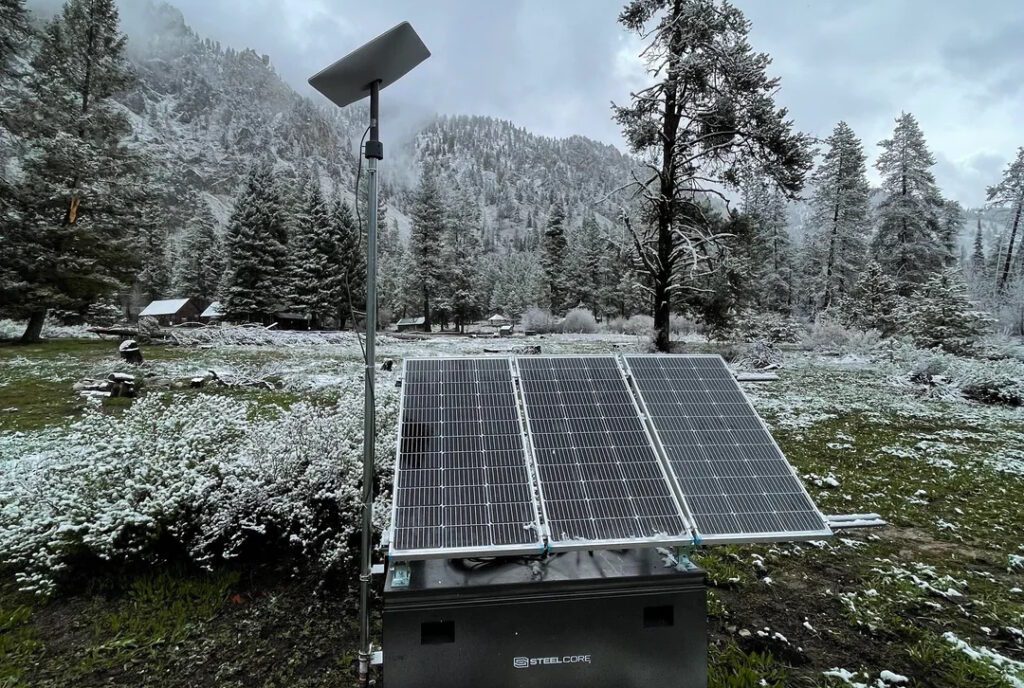
Featured Image via reddit user 208Vandalagau
Off-grid Starlink setups fail for predictable reasons: conversion losses, heater spikes, boot surges, and cold battery derating. This guide explains the physics—then points you to the tools to model your exact setup.
Quick Summary
What this page answers: Why running Starlink through AC/inverters quietly taxes your system, and how DC conversion often buys more runtime than a bigger battery.
Best takeaway: If you’re off-grid, eliminate DC→AC→DC conversion. A DC boost path is usually the cheapest “battery upgrade” you can buy.
Starlink has fundamentally changed the game for remote work. Ten years ago, “digital nomad” meant hunting for weak Wi-Fi at a café or tethering to a spotty 4G signal. Today, you can host a Zoom conference from a van in Baja or push code from a cabin in the Rockies with gigabit speeds and low latency.
But this capability comes with a hidden cost: physics. Unlike a 5W LTE hotspot, a Starlink dish is essentially a phased-array radar station. It consumes serious power.
If you browse the forums, you will see endless advice claiming “one 100W panel is enough.” This is what we call “Optimism Bias.” That advice works great in July. It fails catastrophically in December.
The difference between a system that survives the night and one that shuts down at 4 AM usually comes down to one specific variable: DC Conversion efficiency.
The “One Panel” Myth and Reddit Math
Most DIY off-grid builds are sized using what engineers call “Reddit Math.” It looks something like this:
Assumption: “My Starlink uses 50 Watts.”
Battery: “I have a 1000Wh battery.”
Calculation: 1000Wh / 50W = 20 Hours of runtime.
On paper, this looks flawless. In the real world, this calculation ignores the edge cases that actually cause blackouts. It fails to account for boot surges, heater spikes, inverter losses, and cold chemistry.
To understand why the “Remote Worker” setup focuses on DC conversion, we have to look at the engineering reality running under the hood of your power system.
The Inverter Tax: You Are Paying Double
The Standard (Gen 3) Starlink comes with a standard AC power supply. To run it off a vehicle or cabin battery, the instinct is to plug it into an inverter (like the AC outlet on a Jackery, EcoFlow, or Victron setup).
This introduces a massive inefficiency loop known as the “Inverter Tax.”
Batteries store energy as Direct Current (DC). The grid (and your Starlink brick) operates on Alternating Current (AC). When you use the stock plug, your power path looks like this:
Battery (12V/24V DC)
Inverter (DC → 120V AC) → Loss of ~10–15%
Starlink Power Brick (120V AC → 57V DC) → Loss of ~5–10%
Dish
You are taking DC power, inverting it to AC, and then rectifying it back to DC. Each step generates heat. Heat is wasted energy. In a standard setup, you are paying a 15–20% “tax” on every watt your system consumes.
The DC Solution
The “Remote Worker” approach eliminates the middleman. By using a DC-to-DC boost converter, you can wire the dish directly to your battery bank.
Battery (12V DC)
DC Boost Converter (Step up to 57V DC)
Dish
Result: ~92–95% efficiency in typical setups.
The efficiency here jumps to 92–95%. When you toggle a “DC Conversion Mod” in a load calculator, you immediately see the runtime extend. A $65 DC conversion kit often adds more effective runtime to your system than buying a 20% larger battery.
The “Snow Melt” Surprise
If you are setting up a system for year-round use, you cannot size based on summer averages. Starlink dishes possess internal heating elements designed to melt snow and ice. These are automatic; you often don’t know they are running until your battery creates a low-voltage disconnect.
While a dish might idle at 40–50W, the “Snow Melt” mode can spike that draw to 90W or even 150W depending on the specific model (Standard vs. High Perf).
In our StarlinkSizer engine, we treat heaters not as a switch, but as a dynamic load. If the ambient temperature drops and the dish detects obstructions (snow), the power consumption doubles. A 100Ah battery that usually lasts two days might be drained in 12 hours during a snowstorm—exactly when you need the internet to check weather reports.
The “Boot Tax” of Intermittent Use
A common strategy to save power is: “I’ll just turn it off when I’m not using it.”
This works for lightbulbs. It does not work well for phased-array antennas. Starlink is a computer. When you flip the switch, it undergoes a complex boot sequence. It scans the sky, downloads schedule data, and negotiates with satellites.
This boot sequence creates a power surge—up to 150W for Standard dishes and 200W+ for High Performance units—that lasts for several minutes before the dish settles into a lower-power idle state.
If you turn your dish off for only 15 or 20 minutes, you may actually lose more energy than if you leave it idle. The energy cost of the “Boot Tax” (the surge required to reconnect) outweighs the savings of having it off for a short duration.
The Winter Crash: A Perfect Storm
The final variable in the “Remote Worker” equation is the battery chemistry itself.
Batteries are chemical reactions, and chemical reactions slow down in the cold. A Lithium Iron Phosphate (LiFePO4) battery rated for 1000Wh at 70°F (20°C) does not hold 1000Wh at 20°F (-6°C).
The StarlinkSizer simulation applies a “Temperature Factor” to your capacity. At 10°F, your effective capacity might drop to 70%.
This leads to the “Winter Crash.” It is the ultimate stress test because three physics factors conspire against you simultaneously:
Solar Yield Drops: Shorter days mean less energy coming in.
Load Increases: Heaters activate, doubling the draw.
Capacity Shrinks: Cold chemistry reduces the energy you can access.
Visualizing the “Valley of Death”
When sizing a system, average daily values are dangerous to use. You can produce more power on average than you consume and still go black.
You need to look at the “Valley of Death”—typically around 4:00 AM. This is the point where the battery has been draining all night, the solar panels haven’t woken up yet, and the temperature is at its lowest.
A proper simulation runs a time-series loop. It subtracts load hour-by-hour. If your battery voltage hits the bottom of the chart at 4 AM, the system has failed, regardless of how good the “daily average” looked.
FAQ: Off-Grid Starlink Power (No Marketing Math)
Is DC conversion always “worth it,” or only for winter?
DC conversion is worth it whenever you’re energy-limited: smaller batteries, short solar windows, or overnight critical uptime. Winter just makes the penalty obvious because your generation shrinks while your load and losses rise. If your goal is “survive the night,” DC conversion is one of the highest ROI upgrades you can make because it removes the DC→AC→DC loop.
How much runtime do I really lose by running Starlink on AC through an inverter?
Typical end-to-end loss for the AC path is often in the 15–20% range when you include inverter conversion + idle draw and then the Starlink brick converting AC back to DC. That means a “1000Wh” battery can behave like an 800–850Wh system in practice—before you even account for cold capacity loss.
Why does “50W average draw” advice fail in the real world?
Because the failure modes aren’t averages—they’re spikes. Heater activation, boot surges, and conversion losses don’t show up in a simplistic “watts × hours” spreadsheet. Off-grid systems usually fail at the worst moment (pre-dawn) when your battery is lowest and solar is zero.
Does turning Starlink off between meetings save energy?
Sometimes, but only if the off-window is long enough to pay back the boot surge cost. If you shut down for short periods (15–30 minutes), the reconnection surge and boot sequence can consume more energy than you saved. Intermittent strategies should be modeled with a “boot tax” assumption, not guessed.
What’s the single most common reason off-grid Starlink dies overnight?
People size for daytime averages and ignore the “Valley of Death” around ~4 AM. The system may look “fine” on a daily total basis but still hit low-voltage cutoff at pre-dawn. That’s why simulation (hour-by-hour) beats spreadsheet math.
How does cold temperature reduce battery capacity in practical terms?
Even LiFePO4 can deliver less usable energy in cold conditions (and charging restrictions can apply at low temps). Practically, your “1000Wh” can behave like a smaller pack when it’s cold, which is deadly when winter also reduces solar yield and may increase Starlink draw via heater behavior.
Conclusion: Trust Physics, Not Optimism
The goal of the “Remote Worker” setup isn’t necessarily to buy the biggest battery on the market. It is to optimize your energy.
By moving to a DC conversion setup, you reclaim the 15-20% of energy usually lost to inverter inefficiency. By acknowledging the “Snow Melt” spikes and the “Boot Tax,” you can size your solar array to handle the worst-case scenario rather than the best-case scenario.
When you are fifty miles from the nearest power outlet, engineering physics is the only thing that keeps the lights—and the internet—on.

Leave a Reply
You must be logged in to post a comment.