Project: Starlink Mini Roam (v1.0)
Subject: Starlink Mini Roam / DC Power Optimization
Date: December 26, 2025
Lab Report: The Physics of “Mini”
Calibrating the Starlink Mini for Tactical Off-Grid Autonomy
1.0 Executive Summary
The release of the Starlink Mini has fundamentally altered the off-grid communications landscape. For the first time, high-speed, low-latency satellite internet is “backpackable.” However, this portability introduces a critical new failure mode: Power Anxiety.
Unlike its larger “Standard” sibling, which is typically tethered to a generator or large RV battery bank, the Mini is being paired with compact power stations (Jackery 300, EcoFlow River) and handheld USB-C power banks (Anker Prime). This shifts the margin of error from “days” to “minutes.”
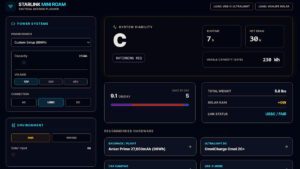
We built the Starlink Mission Planner not as a simple calculator, but as a physics engine. This report details the underlying logic, the hidden inefficiencies of DC-to-AC conversion, and the mathematical reality of running satellite internet from a backpack.
What This Page Actually Does (In One Sentence)
This report + calculator converts “marketing runtime” into field runtime by pricing in the hidden losses that kill off-grid internet: conversion waste, cold-weather capacity fade, and long-cable voltage drop.
- Why a “250Wh battery” is not 250Wh in the field (usable capacity is smaller than advertised).
- Why DC-to-AC conversion quietly burns runtime as heat (and why USB-C/DC changes the math).
- When your “fine on paper” setup becomes a boot-loop / brownout problem because of voltage drop.
- How to build a mission profile that survives real conditions, not showroom math.
- Pick your power source (power station / power bank / custom Wh).
- Select connection (AC vs USB-C vs DC).
- Set conditions (temp + cable distance) and watch the runtime shift.
- Export/share your mission profile when it finally passes.
Conversion Tax (AC)
Inverters waste energy as heat. Your battery shrinks before the Starlink even gets fed.
Cold Capacity Fade
Lithium chemistry slows down in cold weather. Effective Wh drops—sometimes dramatically.
Voltage Drop (Distance)
Long low-voltage runs turn watts into wire heat. Brownouts and loops happen before “0%.”
The 4 Reality Checks Most People Fail
Most “runtime math” dies because people calculate watts in a vacuum. In real use, your weak link is almost never the Starlink—it’s the system.
The “Wh Lie” (Usable vs Advertised)
Power stations quote the battery pack. Your usable energy is smaller after reserve buffers, protection logic, conversion losses, and shutdown thresholds.
Lab rule: Evaluate “usable Wh,” not the box label.
The Inverter Heat Tax (AC is expensive)
AC looks convenient, but the inverter pays its fee continuously. USB-C/DC often wins because you stop buying heat.
Lab rule: If you can avoid AC, avoid AC.
The Cable Penalty (Voltage Drop)
Distance at low voltage is a tax. The longer the run, the more watts turn into wire heat— and the higher the risk of brownouts and boot loops.
Lab rule: Shorten the run or raise the voltage when possible.
The Environment Assault (Cold, Wind, Shade)
Cold steals battery capacity. Wind and obstruction increase draw. Shade kills solar recovery. “Normal day” assumptions fail fast.
Lab rule: Model your worst hour, not your best hour.
USB-C Ultralight (Backpack / “Minutes Matter”)
Prioritize direct USB-C/DC feed, minimal cable length, and conservative temperature assumptions. Your goal is stability—no reboots, no brownouts.
Target: predictable uptime + lowest conversion waste.
Vehicle Day-Trip (Solar Assist / “Recover While Running”)
Treat sunlight as a recovery strategy, not a promise. Build in buffers for clouds and shade and keep the cable run disciplined.
Target: runtime + partial recharge loop.
Basecamp (Stability First / “No Surprises”)
Use the least lossy connection method and a power source with margin. Your real enemy is the “almost enough” system that collapses at hour three.
Target: long session reliability.
- Running AC “because it works” → You pay an inverter tax continuously.
- Overlong low-voltage cable runs → Voltage drop creates unstable behavior before “0%.”
- Ignoring cold → The battery you packed is not the battery you have at dawn.
- Assuming solar = guarantee → It’s a variable input, not a contract.
Is AC ever the right choice?
Yes—when you have ample capacity margin and stability is already proven. But if you’re fighting for minutes, AC is usually the wrong place to spend watts.
Why does Starlink sometimes reboot before the battery is “empty”?
Brownouts. Voltage sag under load can trigger instability even when the battery still has charge left. The system fails on voltage quality, not percentage.
What’s the single biggest improvement most users can make?
Stop converting power unnecessarily. If a direct USB-C/DC path is available, it usually beats AC for runtime.
How should I think about the 50GB Roam cap with this?
Data is a resource like watts: budget it. Your mission profile should pair runtime with a bandwidth plan (meetings, streams, uploads) so you don’t “win power” and lose the cap.
LAB REPORT — FULL TECHNICAL METHODOLOGY
2.0 The Problem: Marketing Math vs. Field Physics
Most manufacturers list battery capacity in Watt-Hours (Wh) and device consumption in Watts (W). The consumer math is simple:
250Wh Battery / 25W Starlink = 10 Hours Runtime.
In the field, this math is dangerous. It leads to critical communications blackouts because it ignores three thermodynamic realities:
- Inverting DC battery power to AC wall power wastes 15-20% of the energy as heat.
- Thermal Fade: Lithium-ion chemistry slows down in cold weather, reducing effective capacity by up to 20%.
- Voltage Drop: Low-voltage DC transmission over long cables causes resistance losses and potential boot loops.
We developed the Mission Planner to solve for $T_{actual}$ (Actual Runtime) rather than $T_{theoretical}$.
3.0 Methodology: The Logic Core
Our tool inputs user-specific variables to generate a Survival Grade (A-F). Below is the breakdown of the algorithm powering the dashboard.
3.1 The “Draw” Variable ($W_{load}$)
The Starlink Mini is rated for an average draw, but the connection method determines the actual load on the battery.
- AC Wall Brick (40W+): This is the least efficient method. The power station’s inverter must remain on (burning ~10-15W idle) plus the conversion loss.
- Lab Note: If you are using a Jackery 300, using the AC outlet effectively reduces your battery size by 15%.
- USB-C PD (30W): Power Delivery negotiation requires a specific handshake (20V/5A). While efficient, many “100W cables” fail to sustain the amperage required during the Mini’s boot sequence (snow-melt spikes).
- Direct DC Barrel (22W): This is the Gold Standard. By bypassing inverters and PD chips, we feed raw voltage (12V-48V) directly into the dish.
- Optimization: Our tool highlights “Direct DC” as the only viable path for ultralight hikers.
3.2 The Thermal Penalty ($C_{temp}$)
Batteries are chemical engines. In “Fair” weather (20°C), they deliver close to 100% of rated capacity. In “Winter” conditions (0°C or below), internal resistance rises.
- Our Algorithm: If
WinterWhen mode is selected, we apply a coefficient of 0.80 to the battery capacity ($Wh * 0.8$). Simultaneously, we add +15W to the load calculation to account for the Starlink’s internal snow melt heater engaging.
3.3 The Safety Buffer ($B_{safe}$)
Discharging a Lithium-Ion battery to 0% degrades its lifespan and risks BMS (Battery Management System) lockout.
- Lab Standard: We apply a 10% hard buffer. A 100Wh battery is treated as a 90Wh battery for all operational calculations.
4.0 Data Survival: The 50GB Cap
The “Mini Roam” plan ($50/mo) is capped at 50GB. For a home user, this is negligible. For a nomad relying on this connection for work, it is a hard ceiling.
We modeled data consumption rates based on real-world packet analysis:
- Zoom/Teams: ~2.5 GB/hr (HD Video requires constant upload/download sync).
- Netflix (HD): ~3.0 GB/hr (Heavily compressed downstream).
- Gaming: ~0.5 GB/hr (Surprisingly low data, but requires low latency).
The tool calculates a “Days to Cap” metric. If a user plans to work 8 hours a day on Zoom, the tool will flag a “Data Failure” warning (Survival Grade: D) even if they have infinite power, because they will hit the 50GB cap in just 2.5 days.
5.0 Case Study: The “USB-C Ultralight” Build
Hypothesis: Can a hiker run a Starlink Mini for a full weekend using only a flight-safe power bank (under 100Wh)?
The Setup:
- Battery: Anker Prime (27,650mAh / 99.5Wh).
- Connection: USB-C PD Cable.
- Load: 1 hour of email/maps per day.
The Calculation:
- Capacity: 99Wh * 0.9 (Safety) = 89.1Wh Usable.
- Draw: 30W (USB-C average).
- Runtime: 89.1 / 30 = 2.97 Hours.
The Verdict: At 1 hour of usage per day, this setup lasts ~3 Days.
- Survival Grade: A (Mission Ready).
- Warning: If the user switches to “Winter” mode, runtime drops to 1.9 hours, making a 3-day trip impossible without solar recharge.
6.0 Conclusion: Physics Wins
The difference between a successful remote work trip and a digital blackout often comes down to the efficiency of a single cable. Switching from an AC inverter to a dedicated Starlink Mini DC cable can effectively “create” an extra 20% of battery life out of thin air.
Before you pack your rig, run the numbers. Gravity applies to your pack weight, and physics applies to your battery.
Related Lab Tools